The REALPRO for Windows program may not be compatible with Windows 11 computers.
REALPRO for Windows 2024 Update is ready. Once you order the update I will post your unlock code. I will notify you when that has been uploaded. Then you can click on the button below that applies to what you need.
Click here for the order form You can email this form to maryann@realpro.la
To know how much your update is:
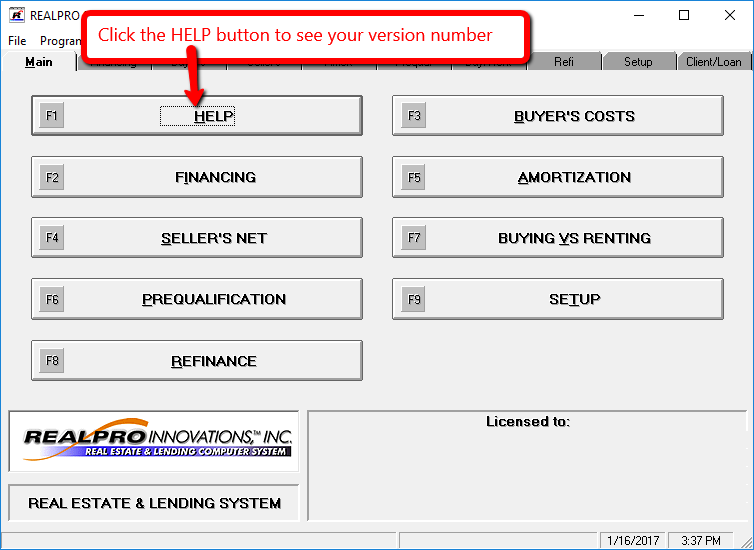
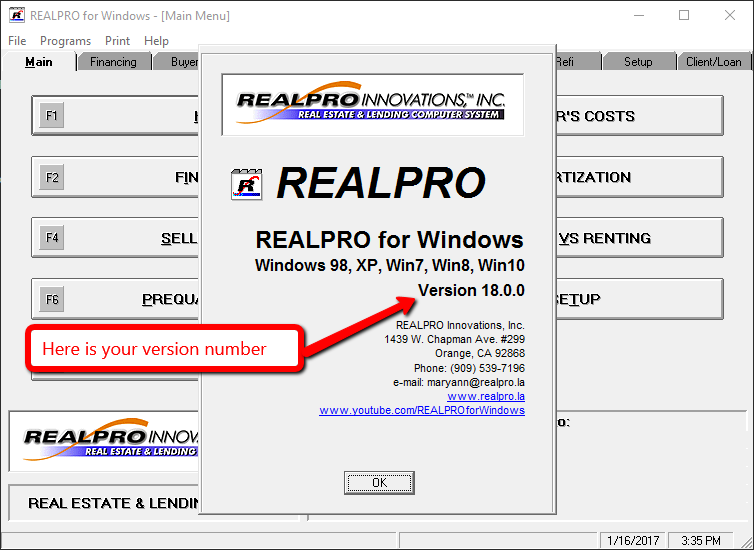
If you are currently using Version 24.x.x – update is $30
Prior to 24.x.x – update is $100
If you are comfortable with the downloading process, simply click on the download button below.
If not, you can call for assistance 909-539-7196.
As with installing all programs, it is a good idea to backup your computer first or at least set a restore point.
Download Area
|
This is the most current version | you do not need to do the update
|
|
2024 REALPRO for Windows Update
|
| To install an older version of the REALPRO for Windows program contact maryann@realpro.la and I can do that for you remotely. |